The instruction files are being updated, but the 2026 system is not yet archived, so do not attempt to activate your 2027 account.
LMS (League Management System) is found on the SOSA League website, mostly under the "My Team" tab. You will also use the "Games" and "My Club" tabs, but you will spend most of your time in the "My Team" tab.
The complete LMS Guidebook (PDF) is below. For simplicity, each section has also been separated and posted below. If you still have questions after reading the appropriate instructions, contact your Club Admin. If they don't know the answer, they will contact the League Manager. If you have website issues, contact the League Manager. (sosaleaguemanagement@gmail.com)
How to ACTIVATE accounts
How to ADD YOUR ROSTER
How to create a GAME SHEET
How to complete a GAME REPORT
How to do CALL UPS
How to Host an Exhibition Game
Game Sheet for Exhibition Games - PLEASE click "Make A Copy" before you enter your team's information. Save it in YOUR drive with the game info as the file name. Send the file link to your opponent for them to do the same. Send a copy of both teams' game sheets to the League Manager within 48 hours of the game.
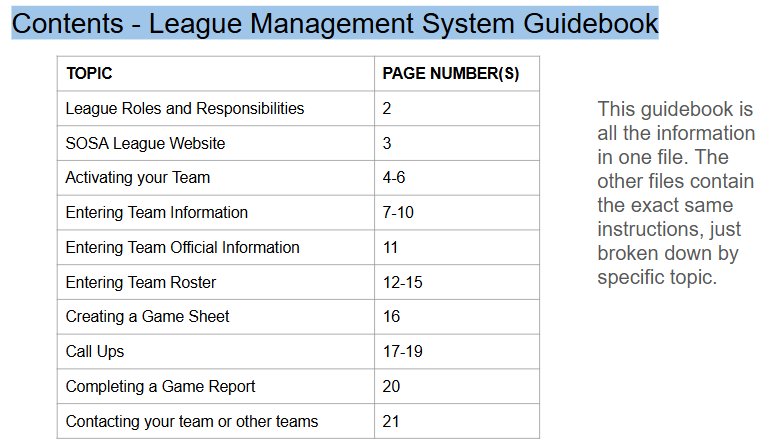
League Management System Guidebook (see index of contents below)